
Learn the complete Google My Business Optimization Guide to rank higher in local search results. Discover simple GMB SEO strategies, profile optimization tips, reviews management, and local ranking techniques.
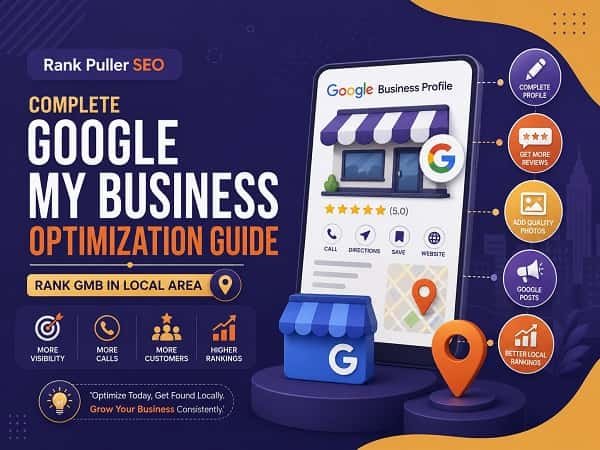
Have you ever searched for a nearby restaurant, doctor, salon, or repair service on Google?
If yes, you’ve probably noticed those business listings appearing at the top of the search results with maps, reviews, phone numbers, and directions. That’s the power of Google Business Profile, formerly known as Google My Business.
If your business serves customers in a specific location, following a proper Google My Business Optimization Guide can help you attract more calls, website visits, and local customers.
The best part? You don’t need to be an SEO expert to get started.
In this beginner-friendly Google My Business Optimization Guide, you’ll learn simple techniques that can improve your local visibility and help your GMB profile rank higher in your target area.
What is Google My Business Optimization?
Google My Business optimization is the process of improving your business profile so it performs better in Google Maps and local search results.
When someone searches for services like
- “SEO agency near me”
- “Best dentist in Kolkata”
- “Restaurant nearby”
Google shows the most relevant and trustworthy business listings.
A strong Google My Business optimization guide focuses on improving relevance, distance, and prominence—the three key factors that influence local rankings.
Why GMB Optimization Matters
Imagine opening a shop in a crowded marketplace but hiding the signboard.
Sounds frustrating, right?
That’s exactly what happens when businesses ignore GMB optimization.
A well-optimized profile can help you:
- Increase local visibility
- Generate more phone calls
- Get more website visits
- Improve customer trust
- Boost local SEO performance
- Increase foot traffic
Therefore, investing time in a proper Google My Business Optimization Guide can deliver impressive long-term results.
1. Complete Every Section of Your Profile
One of the easiest wins is completing your profile 100%.
Many business owners fill only basic information and then wonder why competitors rank higher.
Make sure you add:
- Business name
- Primary category
- Secondary categories
- Address
- Phone number
- Website URL
- Business hours
- Services
- Products
- Business description
Google prefers profiles that provide complete information to users.
💡 Pro Tip: Don’t leave sections blank. Every completed field gives Google more information about your business and improves your chances of appearing in relevant local searches.
2. Choose the Right Business Categories
Your primary category plays a huge role in local rankings.
For example, if you’re an SEO agency, selecting “Marketing Agency” may not be as effective as choosing “Internet Marketing Service” if it better reflects your services.
Additionally, use relevant secondary categories where applicable.
This simple step is often overlooked in many businesses following a basic Google My Business optimization guide.
3. Optimize Your Business Description
Your business description should clearly explain:
- Who you are
- What you offer
- Where you serve customers
- Why customers should choose you
Include important local SEO keywords naturally.
However, avoid stuffing keywords everywhere. Google dislikes profiles that sound robotic.
Think of it as introducing your business to a potential customer, not to a search engine.
4. Upload High-Quality Photos Regularly
People trust businesses they can see.
Upload:
- Office photos
- Team photos
- Service images
- Product photos
- Before-and-after results
Fresh photos signal activity and professionalism.
A profile without photos often feels like a mystery movie nobody wants to watch!
💡 Pro Tip: Businesses with regular photo uploads often receive more customer engagement because users feel more confident contacting them.
5. Collect and Manage Customer Reviews
Reviews are one of the strongest local ranking factors.
Encourage satisfied customers to leave honest reviews after completing a service.
More importantly, reply to every review.
Whether it’s positive or negative, responding shows that you care about customer experiences.
💡 Pro Tip: Include relevant service keywords naturally in your review responses. This can reinforce your local relevance without appearing spammy.
6. Publish Google Posts Consistently
Google Posts allow you to share the following:
- Offers
- Updates
- Promotions
- Events
- Blog articles
Regular posting keeps your profile active and gives customers new reasons to engage with your business.
Consistency often beats perfection when following a Google My Business optimization guide.
7. Maintain NAP Consistency
NAP stands for:
- Name
- Address
- Phone Number
Ensure these details remain identical across:
- Google Business Profile
- Local directories
- Social media accounts
- Business websites
Consistent citations strengthen your local SEO signals.
8. Build Local Citations and Backlinks
Local citations and local backlinks help establish authority.
Consider listing your business on:
- Industry directories
- Local business portals
- Chamber of commerce websites
- Local blogs
These signals help Google verify your business legitimacy.
💡 Pro Tip: A few quality local backlinks can often outperform dozens of low-quality directory submissions.
Final Thoughts
This Google My Business Optimization Guide proves that ranking a GMB profile isn’t about shortcuts. Instead, it’s about consistency, trust, and providing valuable information to customers.
Start by completing your profile, collecting reviews, uploading photos, publishing posts, and maintaining accurate business information across the web.
Over time, these small improvements can produce significant local SEO results.
Remember, when customers search locally, they aren’t looking for the biggest company. They’re looking for the most trustworthy and visible one.
Make sure your business becomes both.
How long does Google My Business optimization take to improve rankings?
Most businesses start seeing noticeable improvements within 30 to 90 days, depending on competition, reviews, profile completeness, and local SEO efforts.
Do customer reviews help GMB rankings?
Yes. Positive reviews, review frequency, and active responses can improve trust signals and contribute to stronger local search visibility.
How often should I post on Google Business Profile?
Posting at least once per week helps keep your profile active and can improve customer engagement over time.
What is the most important factor in GMB ranking?
Profile completeness, customer reviews, category selection, local citations, and proximity all play major roles in determining local rankings.
📌You can check other SEO insights.
📌You can also check what we offer: General SEO, Ecommerce SEO, Local Map SEO, Industry-Specific SEO